



Advantages for your business

Automated Debit
Receive payments on time, every time.

Flexible Payment Setup
Adapt to your preferred billing arrangement.
Secure Processing & Reports
Reduce manual work with secure, easily traceable transactions.
Online Enrollment
Enable quick and hassle-free customer enrollment.
Easy to follow Auto Debit Enrollment Process for your Customers
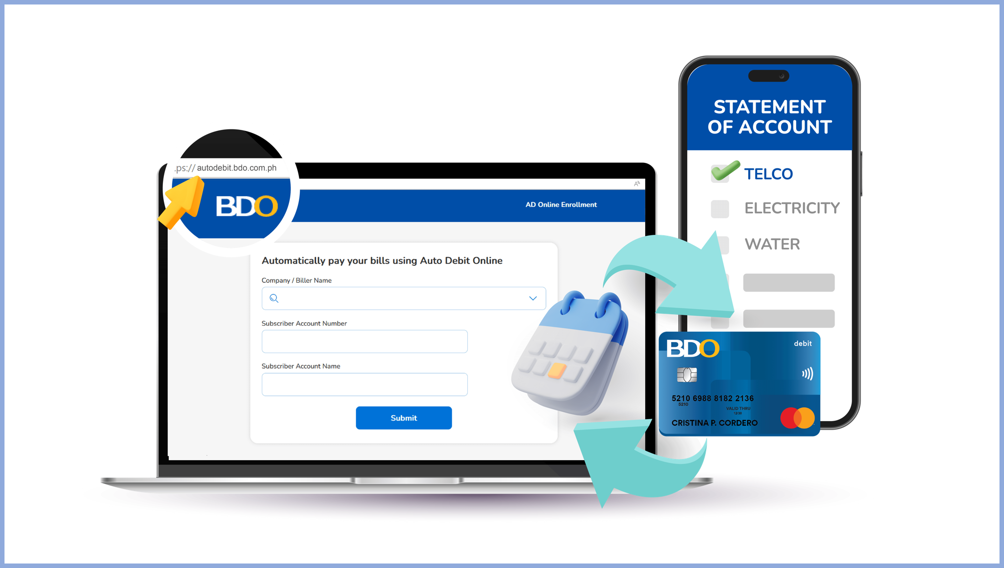
Step 1
Go to ADA Online Enrollment microsite: www.autodebit.bdo.com.ph
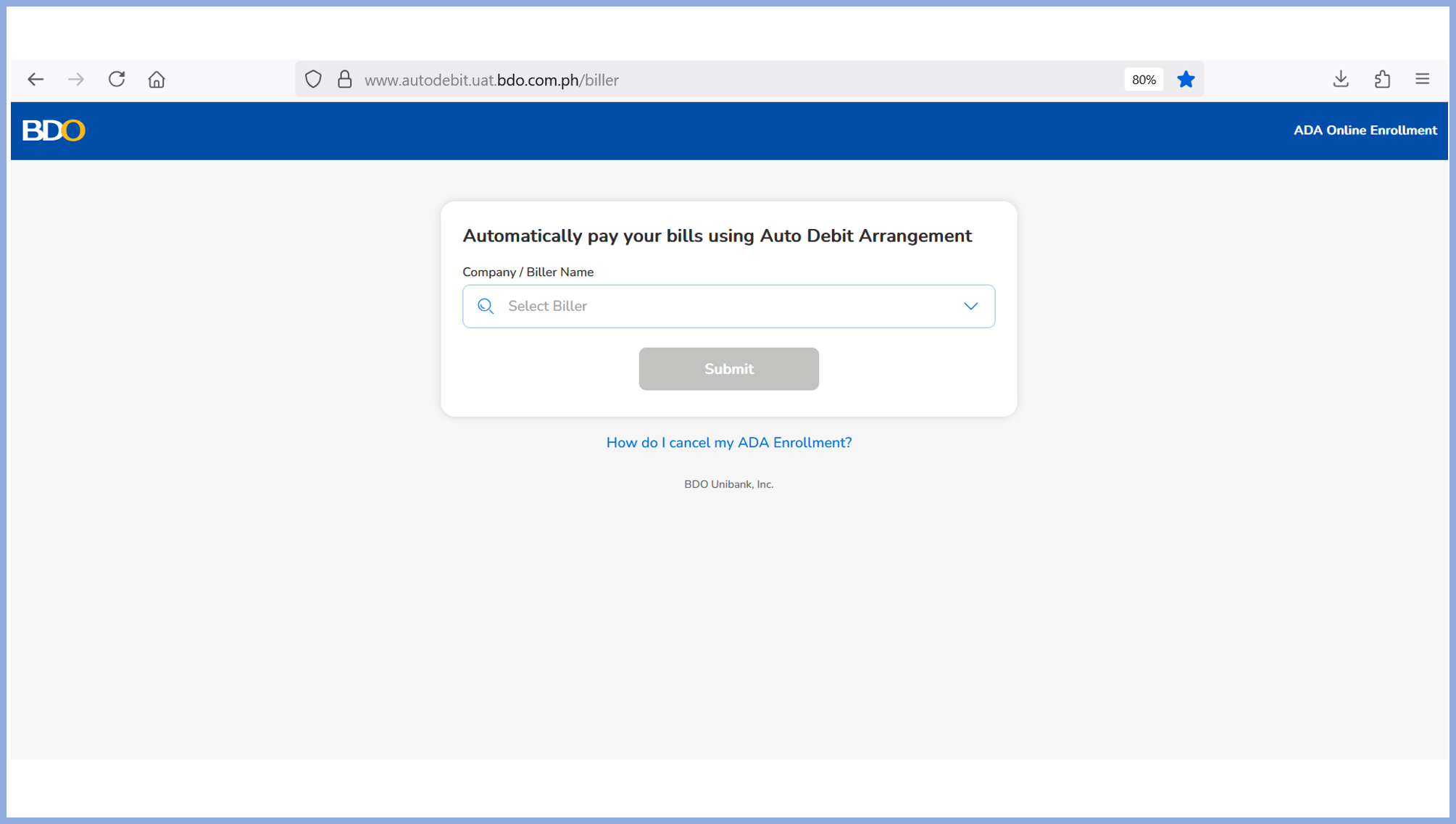
Step 2
Select preferred biller.
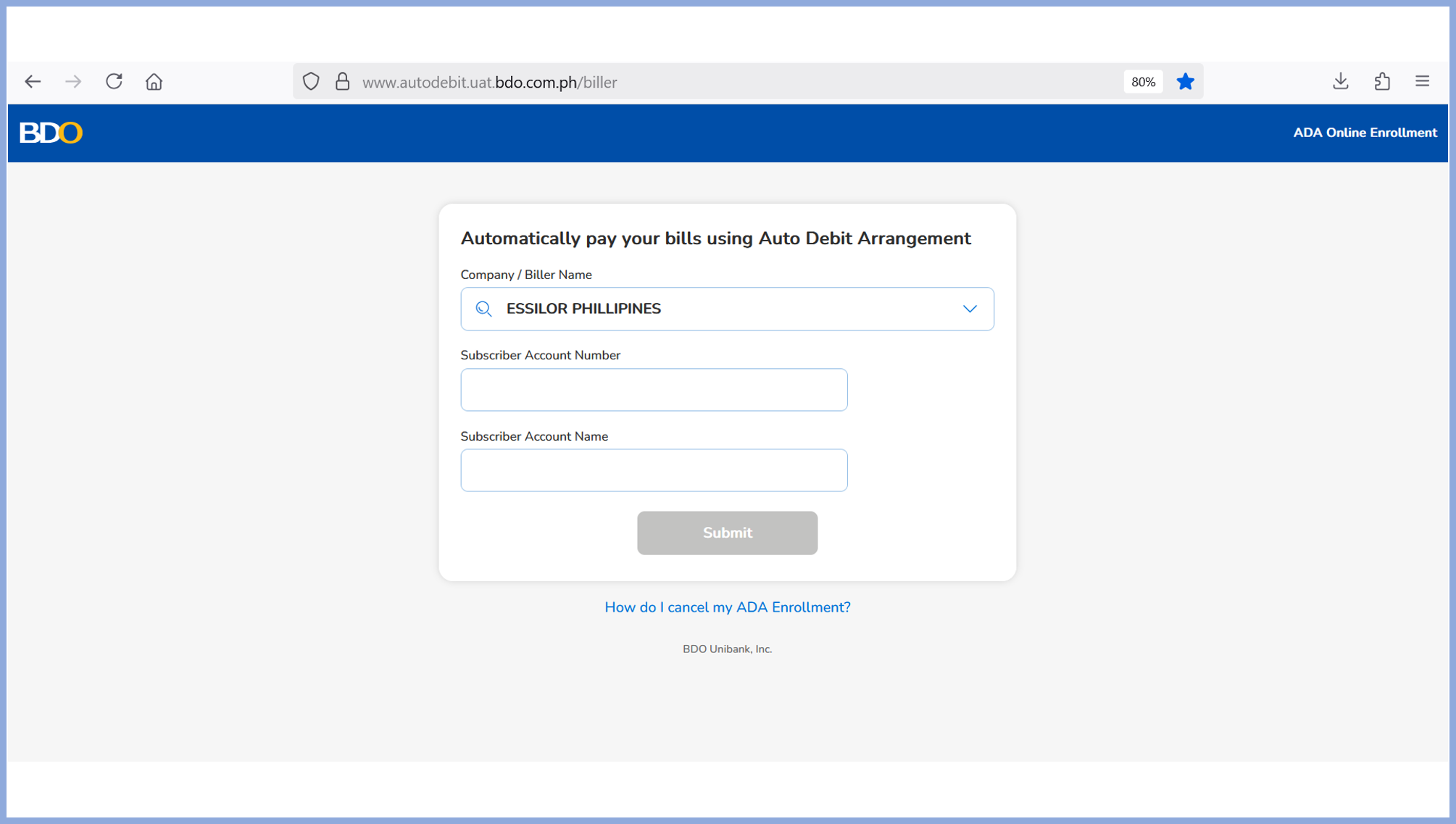
Step 3
Input the Subscriber Reference Number.
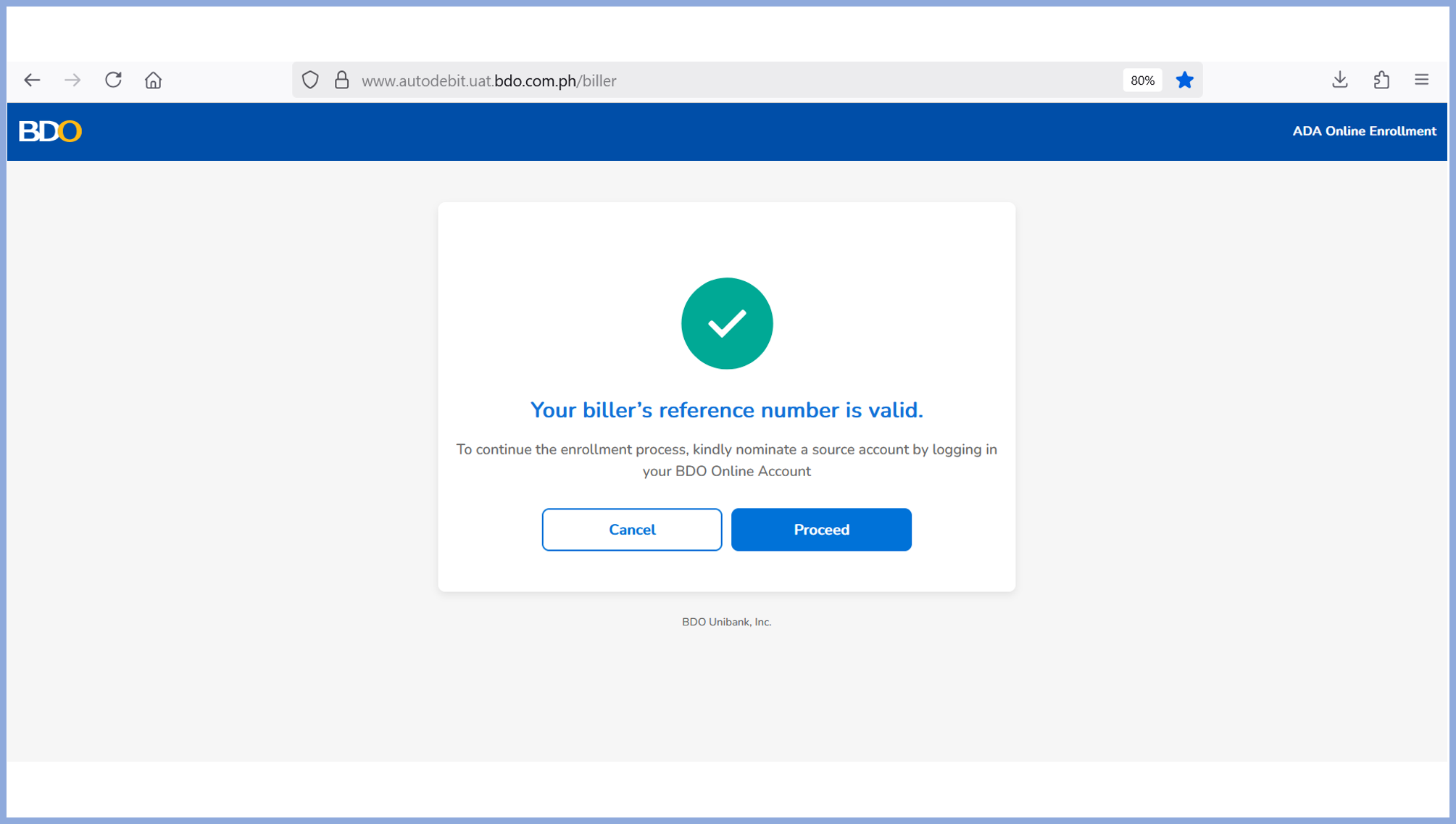
Step 4
System confirms valid details. Click “PROCEED” button.
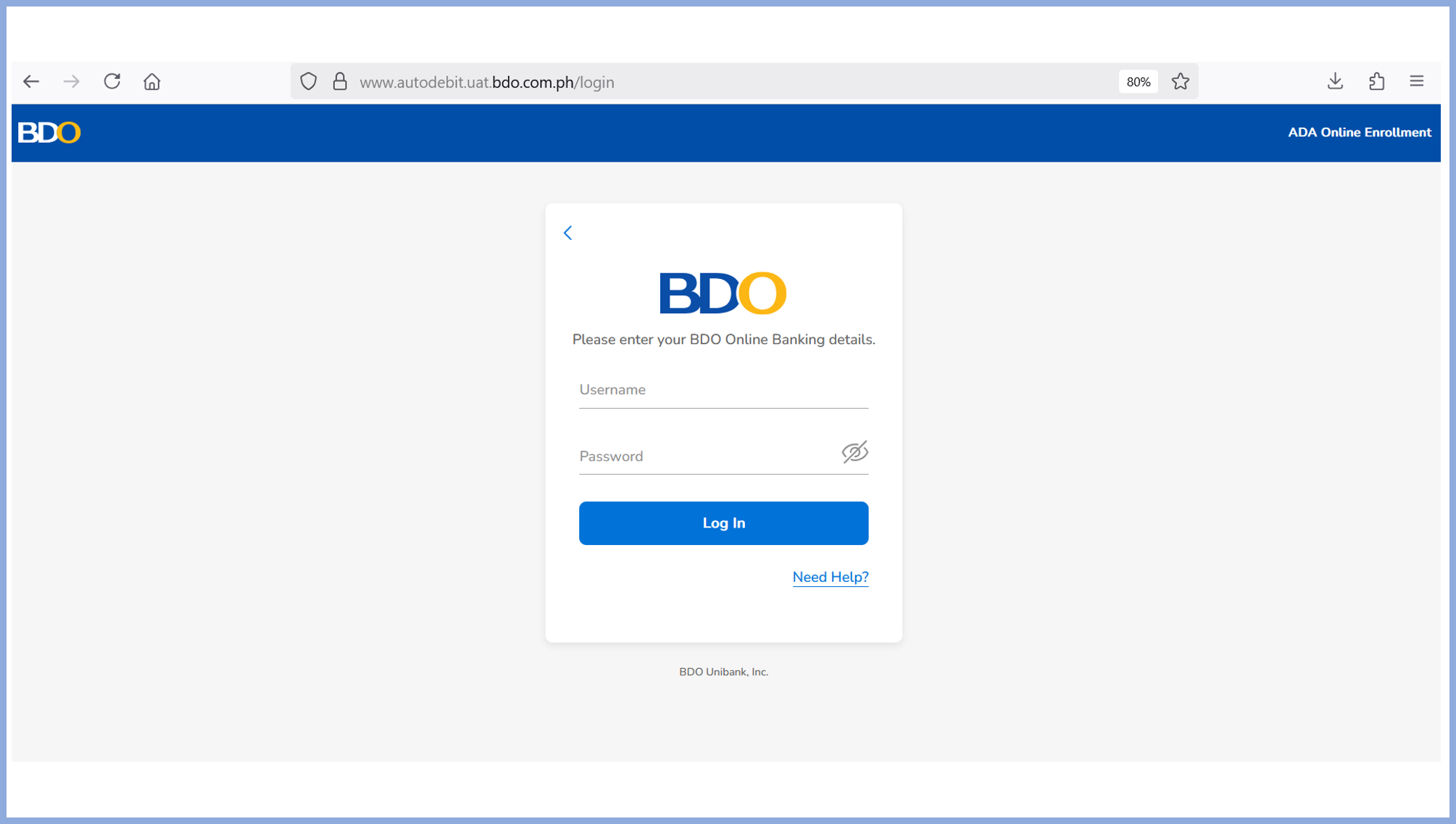
Step 5
You will be redirected to your BDO Online Banking. Kindly log in with your username and password.
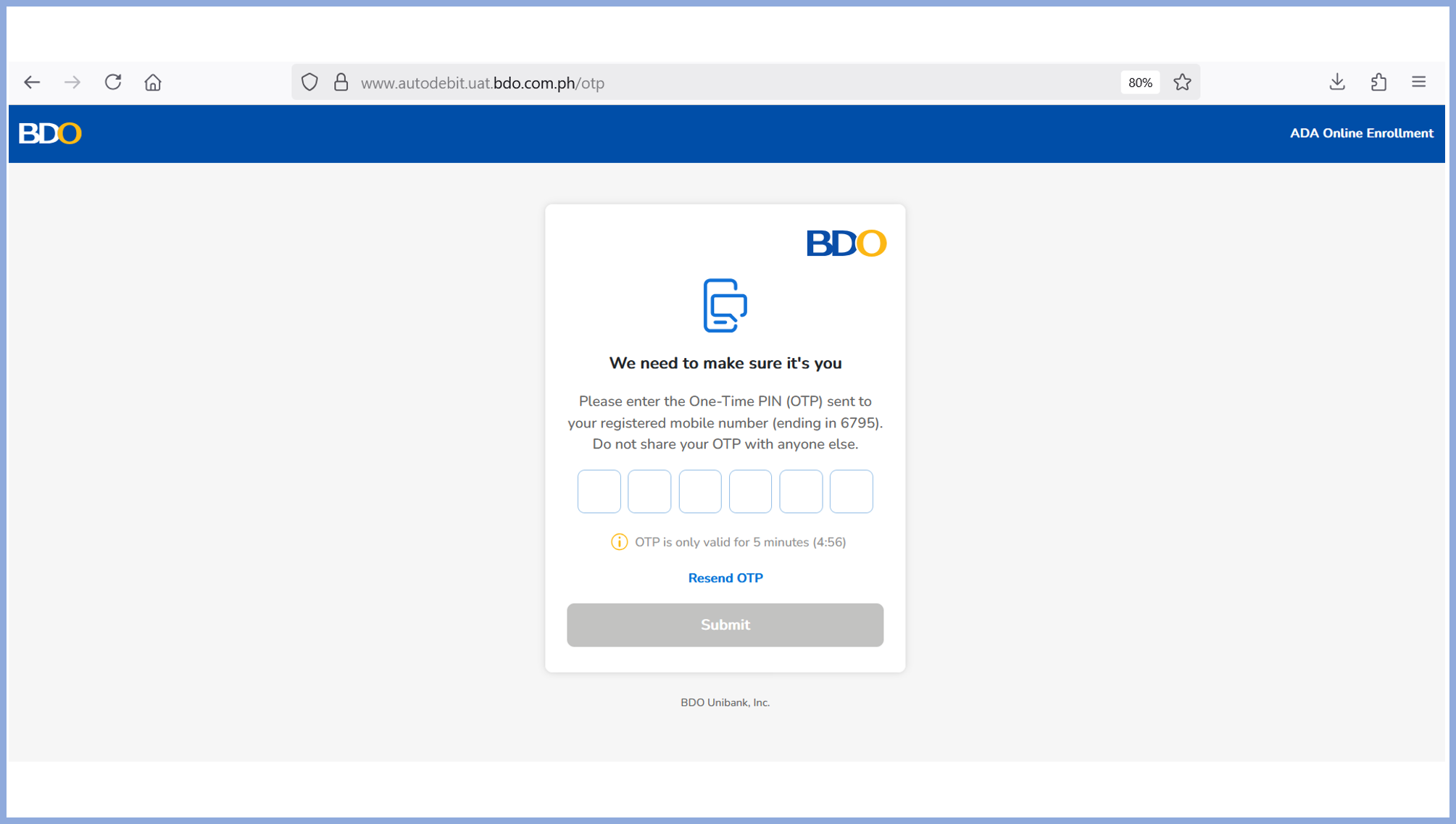
Step 6
Enter your One-Time PIN (OTP) to proceed.
NOTE: Never share your OTP.
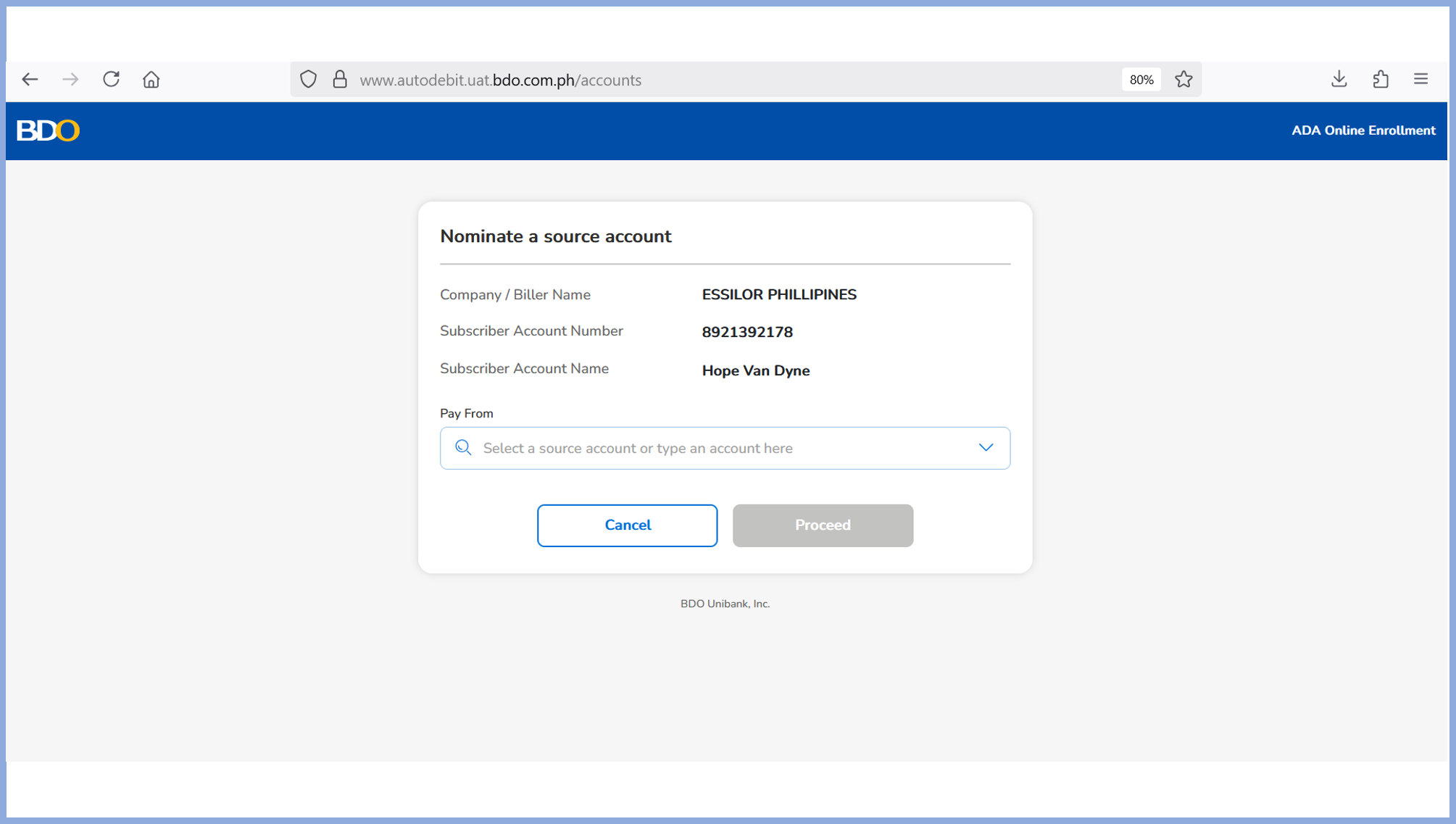
Step 7
Select an account for payment charges then click Proceed.
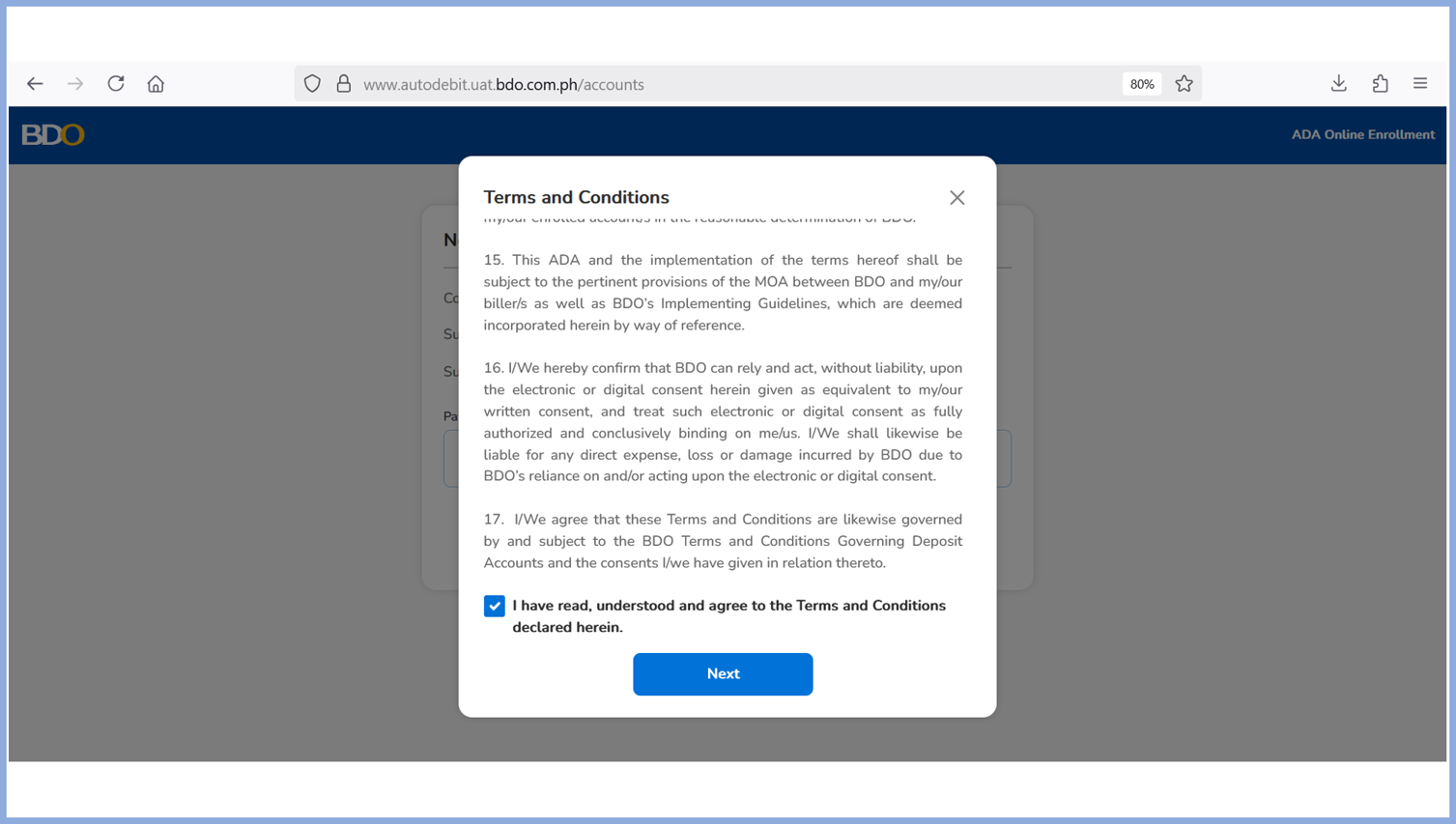
Step 8
Review the Terms and Conditions, then tick the checkbox to agree and proceed.
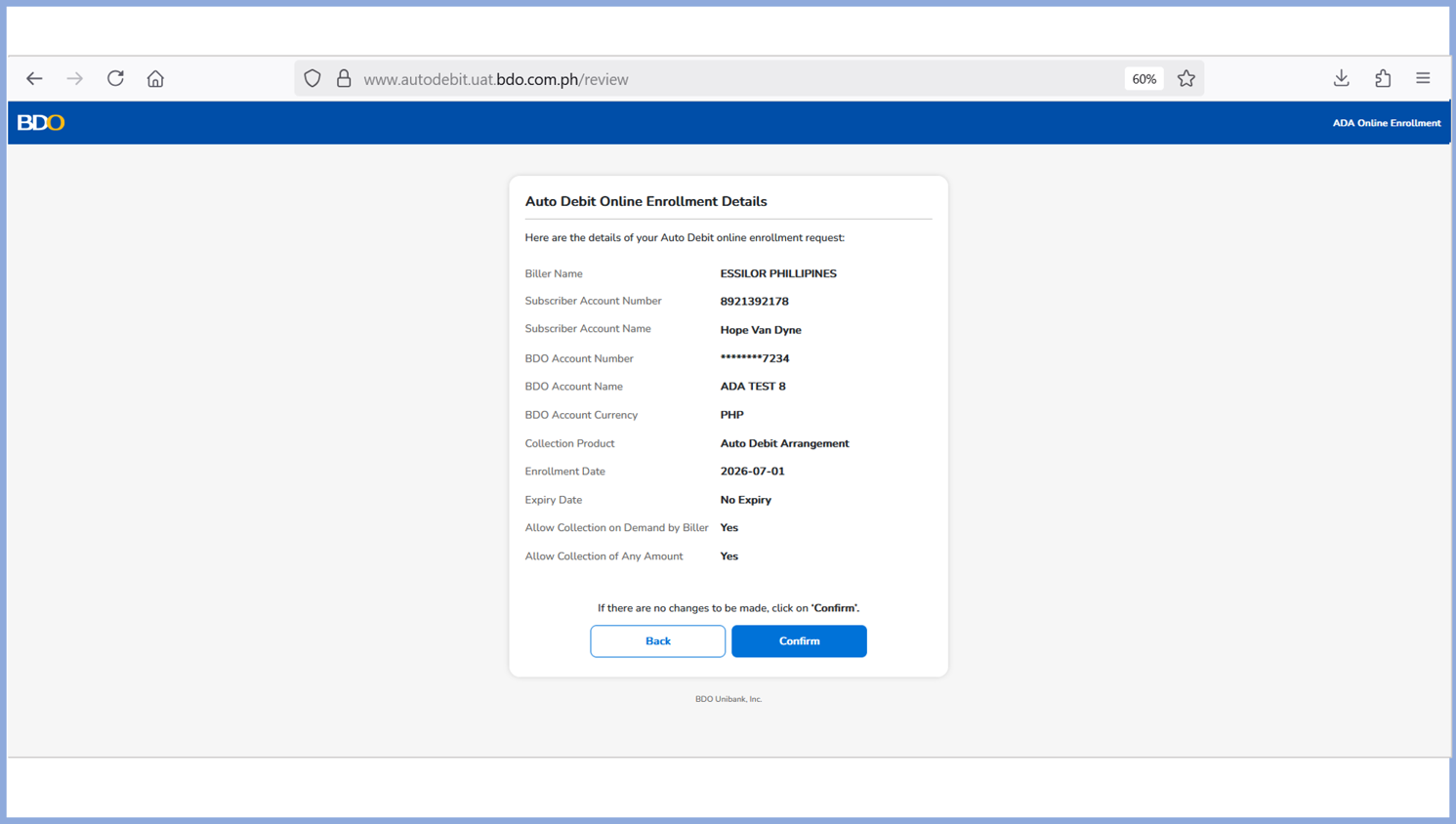
Step 9
Review enrollment details before you click “Confirm”.
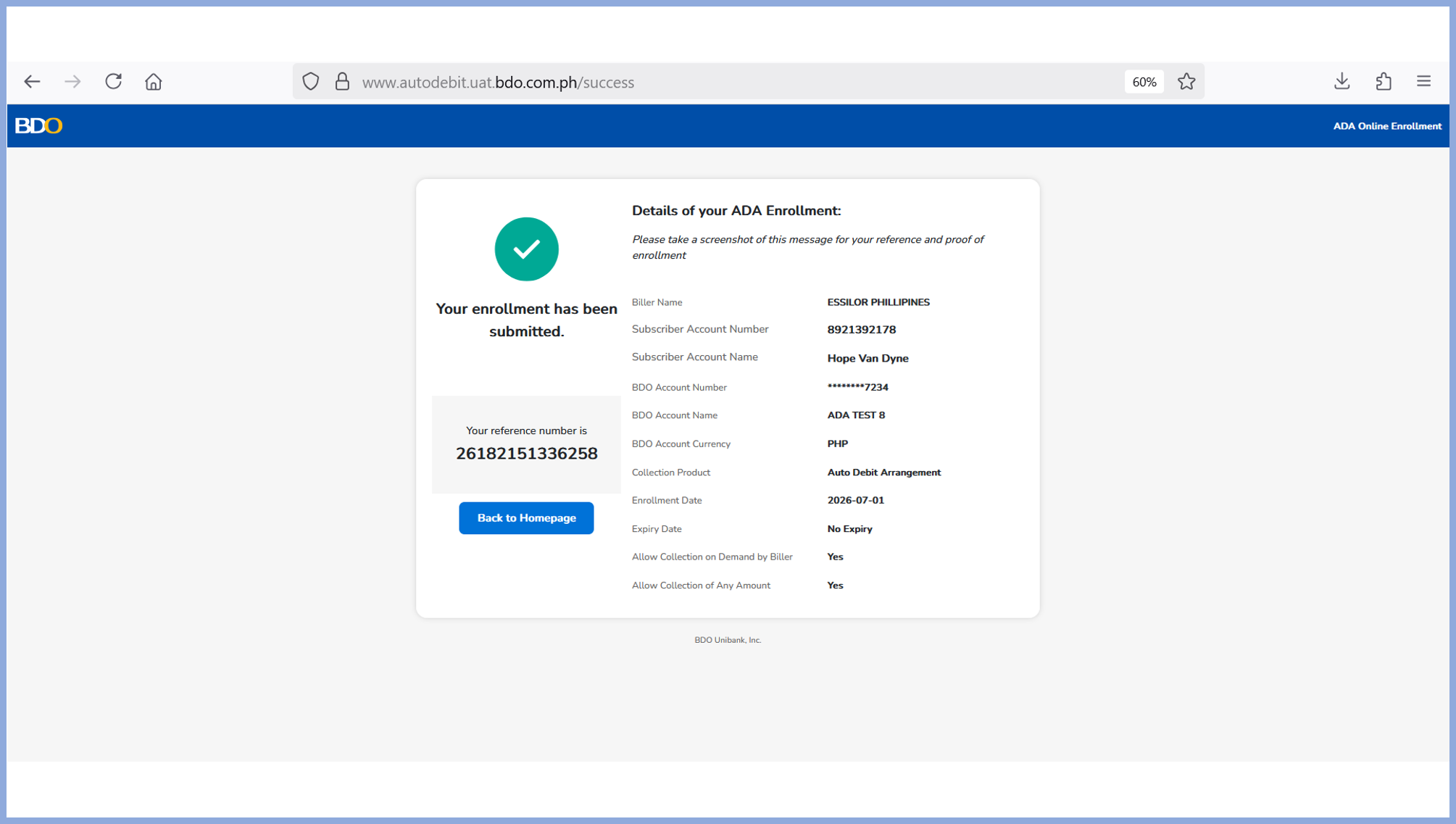
Step 10
ADA Enrolment is sent to Biller for processing. Take a screenshot of the enrolment summary page. The reference number from successful enrolment will be displayed.

Complete Payor Guide
To download the complete step by step guide guide, please use this link:
Deposits are insured by PDIC
up to P1 Million per depositor.
